The Experience Layer on Your Surface
We design and build the interactive application that runs on your surface — the game, configurator or visualisation people actually touch.
Software designed for large, shared surfaces
OptiTUIO makes a surface interactive. The application is what gives that surface a purpose — a branded game, a product configurator, a data wall, a guided story. We build that layer around your goal, your brand and the way people will actually use it in the room.
Interactive technology since 2008 — we design for the realities of crowds, booths and public spaces, not just a clean demo.
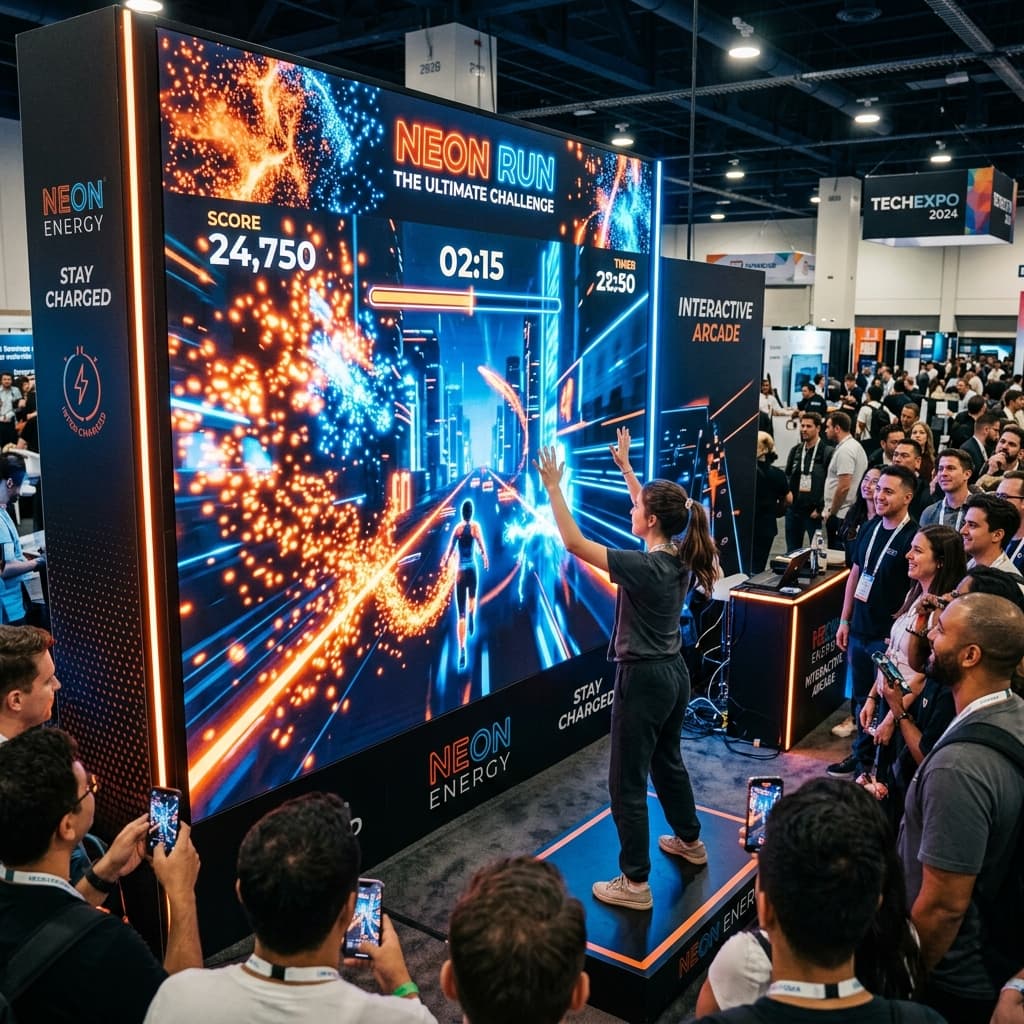
Branded Interactive Games
Multi-user games designed to draw crowds, increase stand dwell time, and create memorable brand moments in busy public spaces.
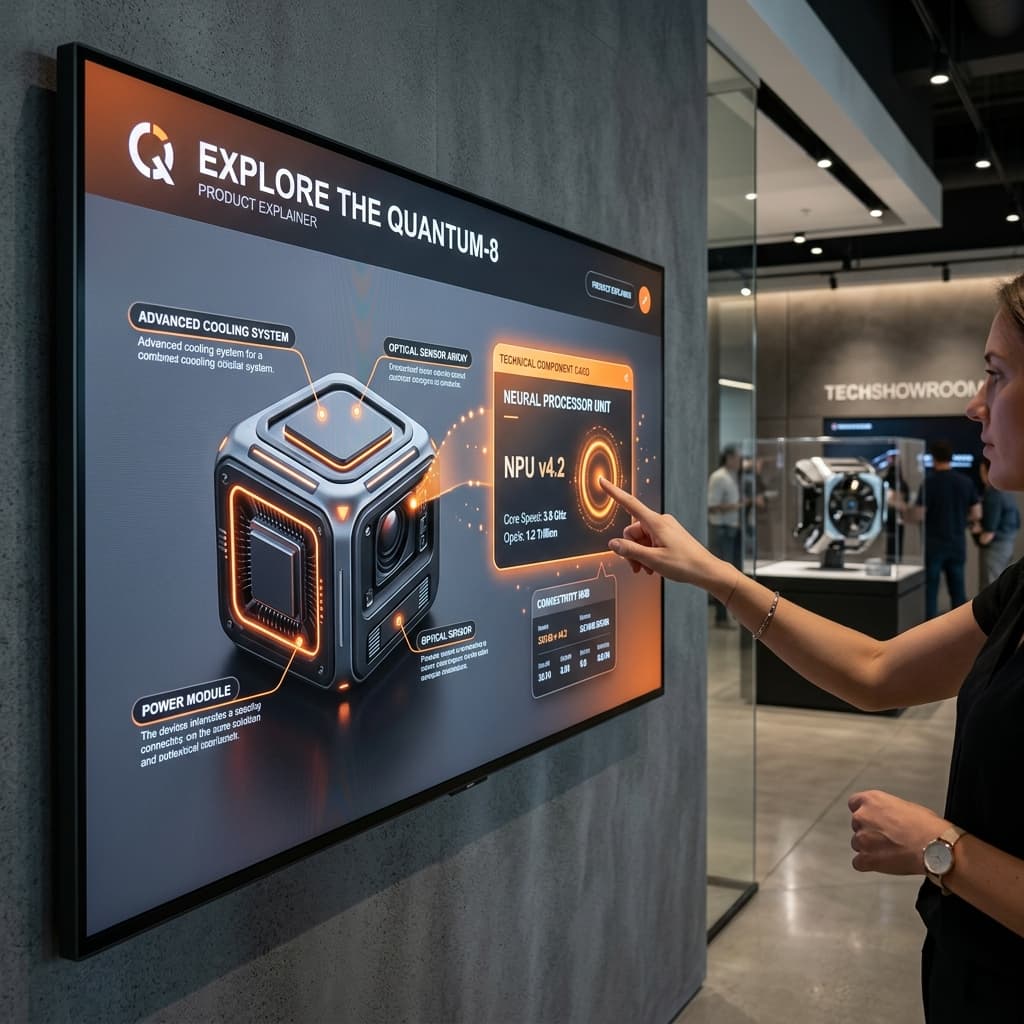
Product Explainers & Configurators
Rich interactive catalogs, 3D configurations, and digital showpieces that let visitors discover features dynamically.
What the application can be
A few of the most common application types we develop:
Product explainers & showcases
Bring a product to life on a large surface — layers, cutaways, stories people explore by touch.
Configurators
Let visitors build, customise or compare options directly on the wall or table.
Interactive games
Branded, multi-user games designed to draw a crowd and create a moment.
Data & real-time visualisation
Live data, dashboards or results rendered large — for launches, broadcasts and command-style displays.
Media players & galleries
Curated video, image and content walls people navigate themselves.
Maps, timelines & wayfinding
Explorable maps, journeys and timelines on large interactive surfaces.
If it can run on Windows and accept Touch / TUIO / mouse input, we can likely build it.
From concept to a running installation
1. Concept & scope
We align on the goal, audience, surface and the experience that fits the space.
2. Design & prototype
Visual design and an interaction prototype so the experience is validated before full build.
3. Development
We build the application — typically in Unity, Unreal, Ventuz or a Windows application — and integrate it with the OptiTUIO setup.
4. Deployment & support
Calibration, on-site or remote setup, testing under real conditions, and ongoing support.
Note: This is the software workflow. The end-to-end project orchestration for large installations lives on Full Custom Solutions.
Full Custom SolutionsThe application and the surface work as one system
Every application we build is made to run on an OptiTUIO setup — surface, LiDAR sensor, OptiTUIO software and a Windows PC. The sensor reads interaction; OptiTUIO turns it into Touch / TUIO / mouse input; the application responds. You get one coherent system instead of parts that don't talk to each other.
We build in Unity, Unreal, Ventuz and native Windows. Existing applications can integrate if they accept Windows Touch, TUIO or mouse input — web-based apps after testing.
Have an experience in mind?
Tell us the goal and the surface — we'll scope the application around it.
Applications we've built
![Wheel of Fortune - [Exhibition]](/_next/image?url=%2Fcontent%2Fmovies%2Fapplications%2Fwheel-of-fortune-poster.jpg&w=3840&q=75&dpl=dpl_GGvzmug9mEZrZEXSTS3f19P5tVjX)
Wheel of Fortune - [Exhibition]
![Product configurator / explainer — [Toyota]](/_next/image?url=%2Fcontent%2Fimages%2Ftoyota-xray-slider-poster.jpg&w=3840&q=75&dpl=dpl_GGvzmug9mEZrZEXSTS3f19P5tVjX)
Product configurator / explainer — [Toyota]
![Real time weather dashboard - [Internal Project]](/_next/image?url=%2Fcontent%2Fimages%2Fapplications%2Fweather-dashboard.jpg&w=3840&q=75&dpl=dpl_GGvzmug9mEZrZEXSTS3f19P5tVjX)
Real time weather dashboard - [Internal Project]
![Interactive Media Wall - [Museum]](/_next/image?url=%2Fcontent%2Fimages%2Fguangzho-museum-installation.jpg&w=3840&q=75&dpl=dpl_GGvzmug9mEZrZEXSTS3f19P5tVjX)
Interactive Media Wall - [Museum]
“OptiTUIO transformed our exhibition space into a highly reliable interactive experience that ran perfectly for 5 days straight.”
— Event Director · Global Tech Agency
Let's build the experience
Bring us a goal, a brand and a surface. We'll handle the application from concept to deployment.