▍ OptiTUIO Calibration Manual
Licensing Model
How to register your software license, install offline keys, and use the online demo version.
Version: 20251014_V1-5-0_Beta_4
Last Updated: 15th September 2026
Licensing Options
OptiTUIO™ offers two licensing paths:
1. Commercial / Offline Device License
The commercial license is a perpetual software key bound to the unique serial number of your LiDAR sensor.
- Portability: Because the license is locked to the sensor hardware itself, the host PC running OptiTUIO™ can be replaced or updated without losing the license configuration.
- Multi-Sensor Keys: In installations with multiple sensors, multiple device profiles can be compiled into a single combined license file.
- Installation:
- Retrieve your hardware serial number by clicking the Info button in the Devices tab of the calibration tool.
- Send this serial number to
info@interactiveasia.comto receive your license key. - Load the received license file by navigating to Help -> Install license in the menu bar.
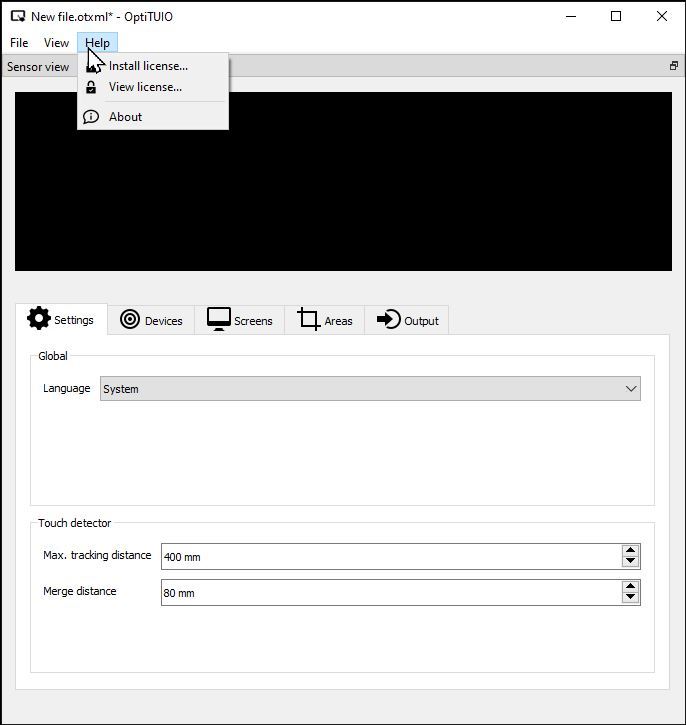 OptiTUIO Help Menu: Installing a Soft License
2. Online Demo License
We provide a temporary online demo license for testing and calibration validation.
- Validity: The demo license remains active for a maximum duration of 24 hours per request.
- Requirements: The machine running OptiTUIO™ must have a constant, active internet connection to validate the key online.
WARNING
Demo License Limitation
The demo license is not for commercial use. It is provided for evaluation and testing purposes only.